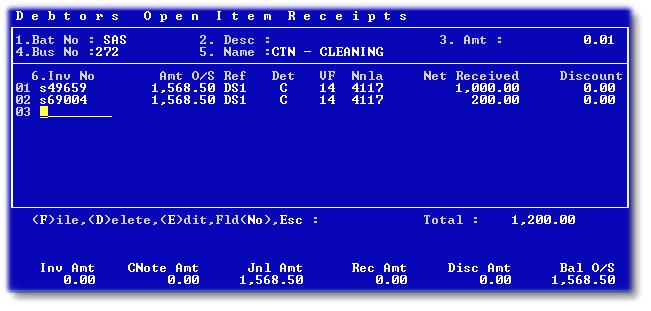
Use this option to receipt payments from debtors. Many receipts can be captured on one screen, with each payment being allocated to an invoice. Remember that the 'Ref'erence is the cash book reference, which will help when you do your bank reconciliation. If the whole batch will be banked on one deposit slip, use the same reference number for all lines in the batch.
The following is an example of the receipt screen:

In the above example, the invoice number was known and entered. The batch total would have to be corrected before the batch would post. The 'Ref' column is the Cash Book reference. The 'Det' column describes the type of receipt - CA - Cash, CH - Cheque etc. The Nnla is the default bank account from the business. Enter the net amount received and any settlement discount given, to make up the total credit.
The series of screens below reflect the use of the 'F2' drill on the invoice number field. After pressing 'F2', and selecting or searching for a debtor, all unmatched entries for the debtor are displayed:

Select the invoices being paid, and enter the amounts in respect thereof:

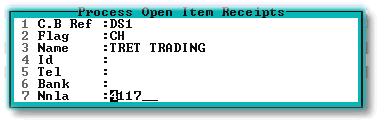
Enter the reference and details for each receipt:
The receipt screen will be populated as below and can be edited before posting: