Use this option to adjust an invoice amount, usually to correct an error. The journal will have the same reference number as the related invoice.
The following is an example of the Sundry journal batch screen:
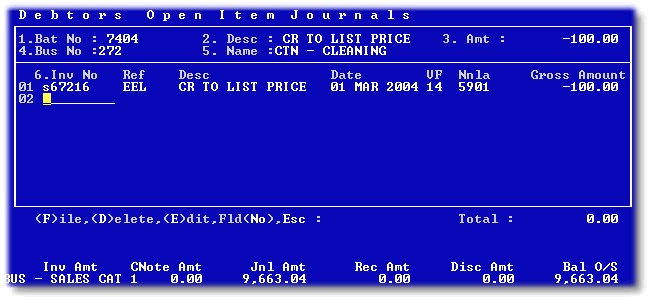
After entering 'NEW' for the next available batch number, any default description, and the batch total, enter the relevant business number.
Then enter the invoice number that you wish to adjust, and capture the details as required. Use an Nnla that is relevant to the type of adjustment. This is usually the same one as the original invoice, which you should ascertain before starting the journal process.