This option allows the import of an Agent/Business or Property, Current, Future or Prior budget.
The import is from an Excel spreadsheet which is Copied and Pasted into the system.
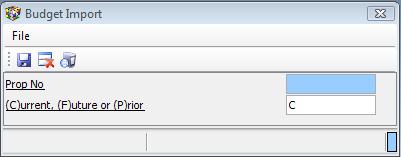
When running the import, you will be prompted for the Property(or Agent/Business) and budget period:
The required import layout is as follows:

The area to copy and paste is the area with the red outline.
The import process is similar to the various batch imports available in the system.
Click here for more information on using the import/paste facility. Click here to view a brief tutorial on using the facility.