Use this option to capture the entries necessary to decrease a cashiers float. The system assumes that cash will be banked into the Central trust account (Relevant agents share). Using this option is like capturing an agent sundry receipt batch, but will allocate the cheque to a particular agents float and to the float control account in that agents general ledger.
The following is an example of the float decrease screen:
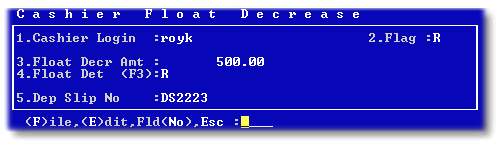
Enter the details of the cash banked in field 4, as in the example below:

Details of the agent sundry receipt batch will be displayed after filing the batch:

Write the 'DS2223' cash book reference on the actual deposit slip when banking the cash to assist with the bank reconciliation.