This screen is used to process any adjustment, charge or billing to a Contract/Loan debtor. It will debit or credit the debtor, based on amount captured. The Raise Monthly Fees (Contract/Loan) program will produce an unposted journal batch to post using this screen.
Any adjustments to a Loan debtor, will be used to calculate interest on, when interest is raised for the debtor. The Date is very important in the Loan debtors environment, as the entry will attract interest from that date. There is special functionality for Loan interest, which is described below.
The following image is an example of the Sundry Journal Batch screen:

Batch No - Type 'NEW' or an unposted batch number. Refer to the notes on loan interest below.
Description - Type in a default description which will copy to each new line of the batch. Can be left blank.
Amount - Enter the total amount of the batch to be captured.
Period - Enter the accounting period that you would the entry to be posted to in the general and debtors ledger. It must be either the 'C'ash (Current) or 'B'illing (Next) period.
Type - Accept the 'J' default
Business No - Enter the Business Number or click on 'Select/Drill' (F2) to select off a list.
Acc No - Enter the Debtors Account Number or click on 'Select/Drill' (F2) to select off a list.
Ref - Enter a reference, usually your initials.
Description - Enter a description for the line, which will print on the invoice.
Date - Enter the date for the line. Remember that this is important for interest calculations on Loan debtors. The entry will post to the period selected above in the general ledger.
Vat Flag - Enter 0 or 14. Entering 0 would not charge VAT on the amount.
Nnla - Enter the income/expense code that you would like the transaction to post to. The other side of the entry (Which is to 4169 -Contract Debtors Control) will be posted by the system.
Amount - Enter the amount to be posted to the debtor, inclusive of VAT. The system will allocate the VAT based on the VAT flag setting.
When complete, click on 'File' and post the batch.
Invoices can be printed for these adjustments using Print Journal Invoices (Contract/Loan), based on the batch number.
By typing 'LOAN.INTEREST' at the batch number prompt, a batch raising interest on all transactions to which interest has not been applied, will be created. Interest will be raised from the transaction date to the selected 'To date' when running the calculation. The following screen displays demonstrate the process:
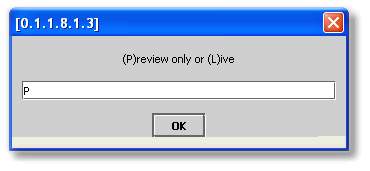
The 'P'review process will list the proposed interest transactions, and then lead you into the live raising if you wish to proceed.
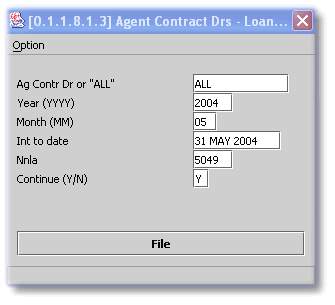
Usually enter 'ALL' to cover all loan debtors. The Year and Month is the accounting period into which the interest transactions will be posted. It is generally correct to run this interest at the end of a month, choose that month as the posting period, and use that month end date as the 'Int to Date'.
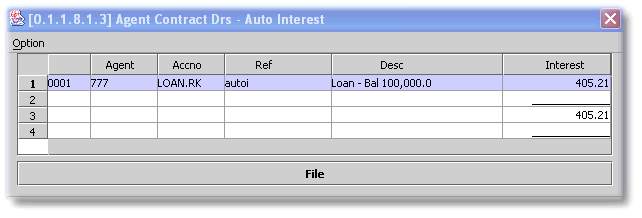
The above is an example of the preview of the transactions to be raised. On closing this window, the choice to perform a live run will be given:
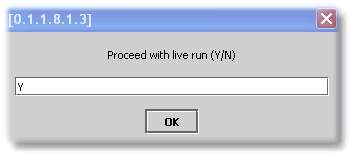
The live run will require the same choices as for the preview run. Remember to check the 'To date' when running the live interest raise. It will not pick up the Preview 'To date', and will default to the current date.

If you are satisfied that the batch produced is correct, File and Post it. In order to maintain a control over the transactions to which interest has not been applied, you will not be able to raise another interest batch until the previous batch has been Posted or Deleted. A message disclosing the unposted batch number will be displayed, giving you the option to post it or to delete it, before running the next batch.