This option is used to record and allocate receipts from unit occupants, and issue a printed receipt if required. The following is an example of the standard receipt screen:

1 and 2. Enter the Property number, press'F2' to select of a list, or type the first few letters of the property name to search.
3 and 4. Enter the unit number, or select or search as in 1. above. A message will be displayed to confirm into which bank account the receipt needs to be banked. This is based on the default bank account setup for the property on Maintenance - Property and the deposit system used by the agent:

6. The Cash book reference will be automatically allocated and be the same for each receipt in the cashiers cycle.
After the amount is entered, a message will be displayed if the outstanding amount (displayed in field 5) is less than the amount being receipted, in case of an error in the unit number:

If the amount due includes amounts due to the Agent or for a unit deposit, then you will be called to allocate the receipt between these areas according to your company policy, as in the example below:

Note that the amount due is greater than the amount paid in the above screen. The system will allocate the receipt, but give you the option to reallocate as you will. As long as the total agrees to the amount receipted, you will be allowed to proceed. This screen can be used to re-allocate amounts between the various parties, by doing a 'Nil' receipt, and allocating between the parties. Refer to the Agent to Unit and Deposit billing sections for more information. The following is an example based on the receipt screen above:

After the amount is entered in field 10, enter the details of which negotiable instruments make up the amount tendered, by pressing 'F3' on the relevant field - Cash, Cheque, Card and Change:
The cheque entry screen:
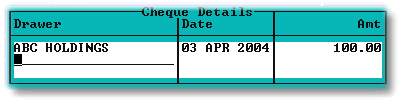
If the date on the cheque is more than thirty days earlier than the current date, then the following warning message will be displayed:

The cash entry screen:
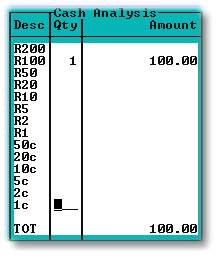
The Card entry screen, which can be used for postal orders etc. as well:
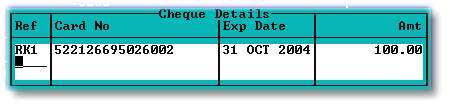
The change field allows for the giving of change from cash receipts, or from a cheque that is too much. The cash change option would only be used if coinage was being accurately tracked.
The combination of the above fields ( Cash, Cheque, Card and Change ) must total the amount of the receipt, before you will be allowed to file the receipt. One the receipt is 'F'iled, an option to print a receipt (On pre-printed dot matrix printer receipts) will be given:

The batch number will be displayed for information:
