Choose the documents that will be automatically archived each month:
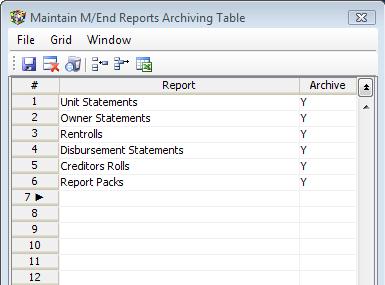
New documents will be added as requested.
Refer to the Archiving Tutorial for more information
|
<< Click to Display Table of Contents >> Navigation: Through the Menus > Administration > System Setups & Utilities > Various Tables and Setups > Select Documents to Archive |
Choose the documents that will be automatically archived each month:
New documents will be added as requested.
Refer to the Archiving Tutorial for more information