This option will either print or display statements for open item debtors. It is also used as a tool when an analysis of a debtors account. The following is an example of the statement selection screen which runs after section of this option:
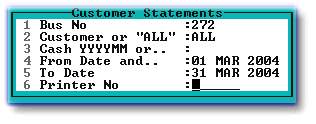
1. Enter your business number or 'F2' to select.
2. Enter required Customer number or 'ALL' to select all customers.
3, 4 and 5. Enter a Cash period, eg. 200403, to print or display all transactions in that period (with a the balance at the end of it), together with any unmatched transactions from earlier periods. If you require a statement or statements for a longer or shorter period, delete the default period in line 3, and enter your required period in lines 4 and 5.
6. Enter a printer number or leave blank to display statements, as in the example below:
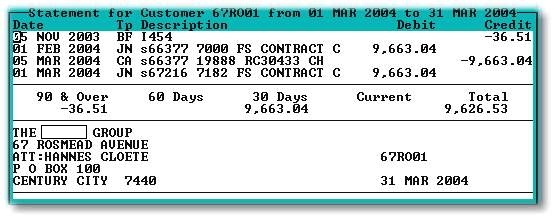
If you choose to view 'ALL' statements, they will display one after the other. After you press 'Esc' to move to the next statement, the following message will display:
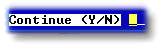
Enter 'Y' to move to the next statement, or 'N' to exit.