Use this option to set the price, per Division (Agent), that a Unit (Tenant) will be charged when the relevant letter is sent.
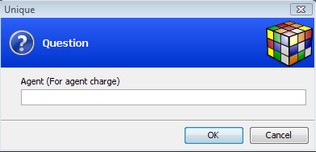
Enter the Division (Agent) - or leave blank to choose the central default level that will be used if no Division setting are captured:
Enter the relevant information and save the changes:
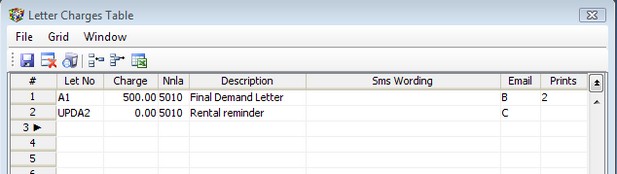
1. Enter a letter number to identify the letter. (Remember to ensure that there is a matching template on the Unisim server)
2. Enter the amount that will be automatically charged by the business to the unit for the sending of the letter.
3. The Nnla is the Income General Code in the books of the Agent
Use the Email and Prints columns to control the way the letters are delivered:
'C' to send to the client - tenant and surety if the surety option is chosen when running the letters. If email addresses are present, the letters will be emailed, else a copy will be printed. The surety will get a copy of the same letter as sent to the unit.
'O' to send to your office. The default address will be the credit managers address. If there is no email address, a copy will be printed.
'B' to choose both of the above.
Leave blank for no emails.
Prints
Enter the number of printed copies of the letter you require, or leave blank for no prints. these prints will be in addition to the copied printed where email addresses are missing.
The Unit notepad will be updated recording that the particular letter has been sent to the unit.
Specialised SMS's can also be setup using this screen. Please contact the helpdesk for more information.