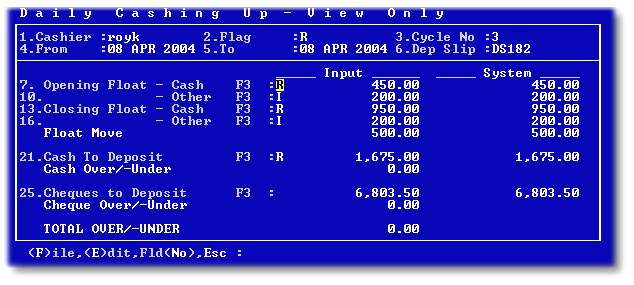
This option allows a user to view the details of a cashiers cash up cycle. No amendments can be made to the cycle. An example of the screen is displayed below. By pressing 'F3' on the relevant fields, the details will be displayed:
A message similar to the one below will be displayed on entering an enquiry, for information purposes:

Refer to Cashing up for more information about each field.