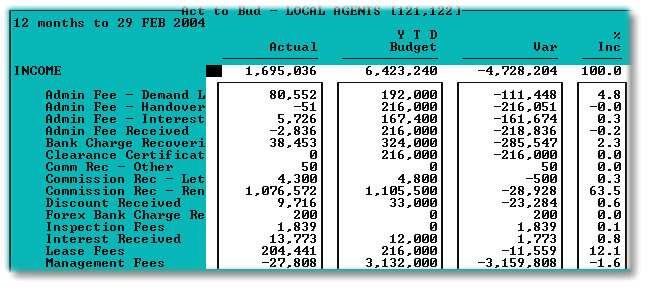
This option displays or prints a report that compares the actual income expenses with the budgeted income expenses in the form of an income statement.
The following is an example of the selection screen:
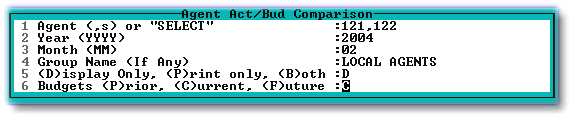
| 1. | Enter one or more Agent Numbers separated by commas, or type 'SELECT' to pick from a list. Unless a Group name is entered when more than one Agent is selected, individual reports, for each Agent, will be displayed sequentially. Entering a user-defined Group Name causes the data for the selected Agents to be consolidated into one report. |
| 2 & 3. | Enter the required period. |
| 4. | Refer to 1 above. |
| 5. | Select as required. |
| 6. | Enter the relevant budget with which you wish to compare the actual figures. |
The following is an example of the initial part of the report. Month to Date figures are on the right of the Year to Date figures displayed: