This option calls up a selection window in which you can choose the type of Agent batch into which you would like to enquire.
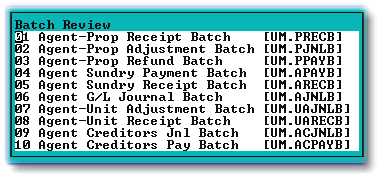
When you enter on the required batch type, the following selection screen will be displayed:
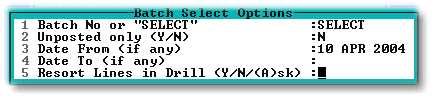
This selection screen provides various options, including a date search and re-sort facilities. By setting the relevant flag to 'Y', this facility can be used to search for unposted batches.
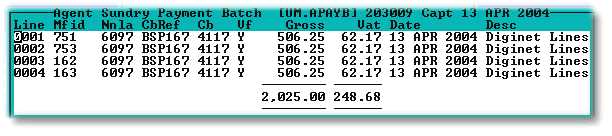
Once the various options in the above screen have been completed, the selected batch, or list of matching batches will be displayed. If the batch is not a system generated batch, the login of the user that captured the batch will be displayed. The user login is system stored and cannot be amended by the users:

Press 'F2' on the required batch line to view its contents: