Use this screen to allocate, or transfer receipts from the unallocated property to an agent. An example of this type of transaction is where an attorney transfers a clearance fee directly into your bank account.
This screen will allow you to allocate a receipt to one agent.
The following is an example of the reallocation screen:
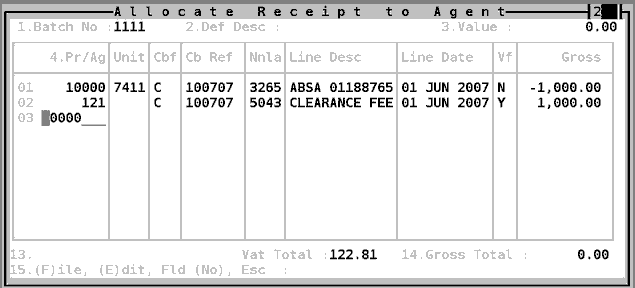
Having selected a receipt to reallocate, choose an agent to reallocate it to. You will not be allowed to enter a unit number. Choose an Nnla (general ledger code) that is relevant to the type of transaction being receipted - Eg. An Admin fee is usually 5001.
The system will create and post an Agent Sundry Receipt Batch in respect of the amount reallocated to the property. Refer to Agent Sundry Receipt Batch for more information
Note: A note will be added to the relevant 10000 unit's notepad recoding details of the reallocation.